Check Image DPI & Print Quality
Professional tool to check image resolution (DPI/PPI). Verify print readiness for passport photos, A4 documents, and art.
Supports JPG, PNG, TIFF & HEIC
Why You Must Check Image DPI Online Before Printing
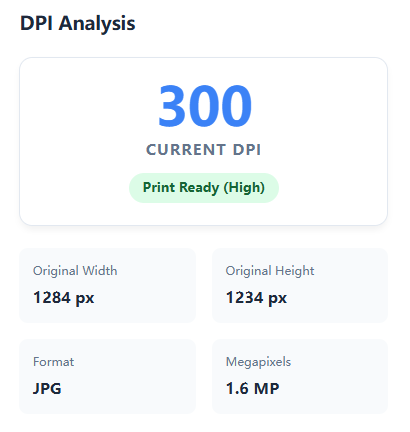 The disconnect between screen display and physical output is the most common cause of project failure. DPI (Dots Per Inch)—often interchangeable with PPI (Pixels Per Inch) in digital contexts—dictates the granular density of ink droplets a printer deposits on a substrate.
While a monitor renders images via light using a fixed pixel grid (typically 72-96 PPI), physical printing relies on rasterization. Failing to check dpi of image data before submission leads to the "pixelation disaster"—where algorithms forcefully interpolate missing data, causing jagged artifacts, blurriness, and loss of edge fidelity. Using a professional tool to check dpi of image online ensures your metadata aligns with physical dimension requirements.
DPI Standards: Critical Density Thresholds
- 72 DPI / 96 DPI (Screen Resolution): The native density for web assets, UI design, and most smartphone captures. While visually sharp on Retina displays due to hardware scaling, these files are insufficient for analog printing unless the physical dimensions are drastically reduced.
- 150 DPI (Large Format/Draft): The minimum threshold for newspapers or billboards viewed from a distance (>1 meter). At this density, dot gain (ink spreading) masks some resolution deficiencies.
- 300 DPI (Offset Quality / Print Ready): The industry "Gold Standard" for lithography, brochures, and photo books. At 300 DPI, the frequency of halftone screens exceeds the resolving power of the human eye at reading distance (30-40cm), creating continuous tone illusions.
- 600+ DPI (Archival & Line Art): Essential for reproducing fine art, vector-like line drawings, or microscopic details where edge precision is paramount.
How This Tool Analyzes Binary Metadata
Many operating systems obscure true density data. Unlike basic file properties windows, the FPE DPI Checker performs a deep forensic scan of the file's binary structure. We extract metadata from dual layers:
- JFIF Header (Binary Segment): The fundamental JPEG File Interchange Format marker that dictates physical pixel density to printers and software like Photoshop.
- EXIF Data (Exchangeable Image File Format): The metadata block recorded by camera sensors (ISO, Aperture, Resolution Unit).
This rigorous extraction allows you to how check dpi of image assets accurately, distinguishing between a file that is authentically high-resolution versus one that merely has large pixel dimensions but low density headers.
Frequently Asked Questions (FAQ)
How to check dpi of image on Mac or Windows natively?
On Windows, you must right-click the file, select "Properties," then "Details" to scroll down to horizontal/vertical resolution. To check dpi of image mac users typically open "Preview" (Inspector tool). However, these OS tools often round numbers or fail to show inconsistent headers. Our online tool provides a unified, instant readout without navigating complex menus.
How to check dpi of image on Phone (iPhone/Android)?
Mobile operating systems (iOS Gallery or Google Photos) hide technical metadata to simplify the UI. It is nearly impossible to check dpi of image on iphone directly without third-party apps. FPE solves this by allowing you to upload directly from your mobile browser to view the hidden density data instantly. Note: Most phone photos default to 72 DPI metadata, even with 48MP resolution.
How to check dpi of image in Photoshop vs. FPE?
To how to check dpi of image in photoshop, you must navigate to "Image" > "Image Size". While Photoshop is the industry standard, it requires an expensive subscription and significant system resources. FPE offers a lightweight, browser-based alternative to validate headers and modify density (Change to 300 DPI) using the same binary logic as Adobe's engine, but for free.
Privacy-First Architecture
Security is paramount for professional workflows. We utilize client-side WebAssembly & Binary Parsing logic. Your assets are analyzed directly in your browser's allocated memory. No files are ever transmitted to a remote server, ensuring 100% data sovereignty for your legal documents, artwork, and personal photography.